
Description
Business Budget Template
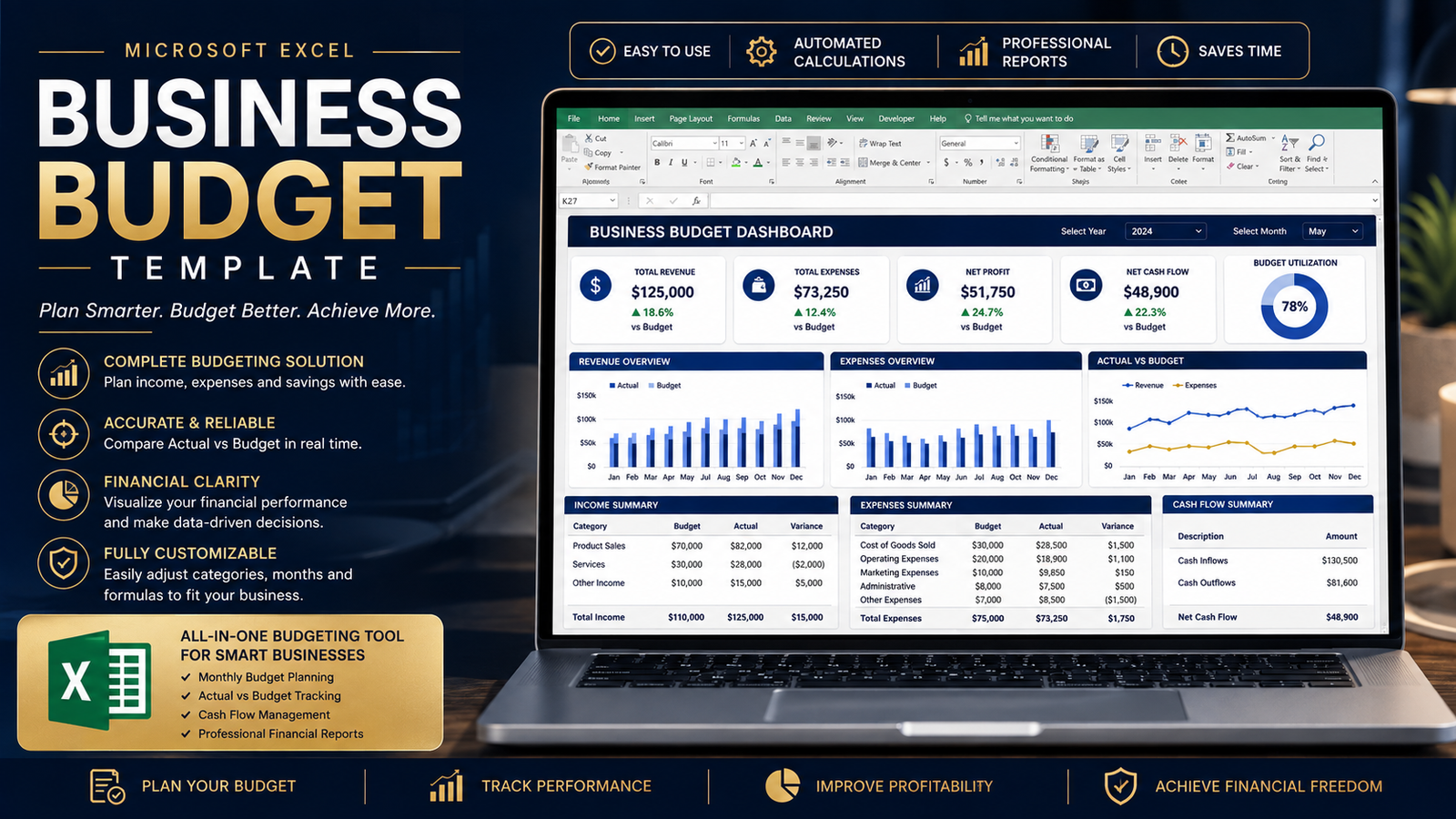
A business becomes easier to manage when you know where your money is coming from, where it is going, and whether your actual results are matching your plans. The Business Budget Template gives you a practical Excel-based system for planning revenue, organizing expenses, monitoring monthly performance, and making better financial decisions.
Designed for small businesses, entrepreneurs, managers, analysts and business students, this business budget template provides a structured starting point without requiring you to build a budgeting system from scratch.
What Can You Track?
With this business budget template, you can organize important financial information such as:
- Sales revenue
- Service revenue
- Other income
- Payroll
- Rent and utilities
- Software and subscriptions
- Marketing and advertising
- Travel and meals
- Office expenses
- Professional services
- Insurance
- Bank and payment fees
- Taxes
- Equipment
- Technology
- Furniture
- Loan payments
- Interest expenses
The workbook separates major categories so you can understand where your money is being allocated and identify areas that may need closer attention.
Plan Your Business Budget
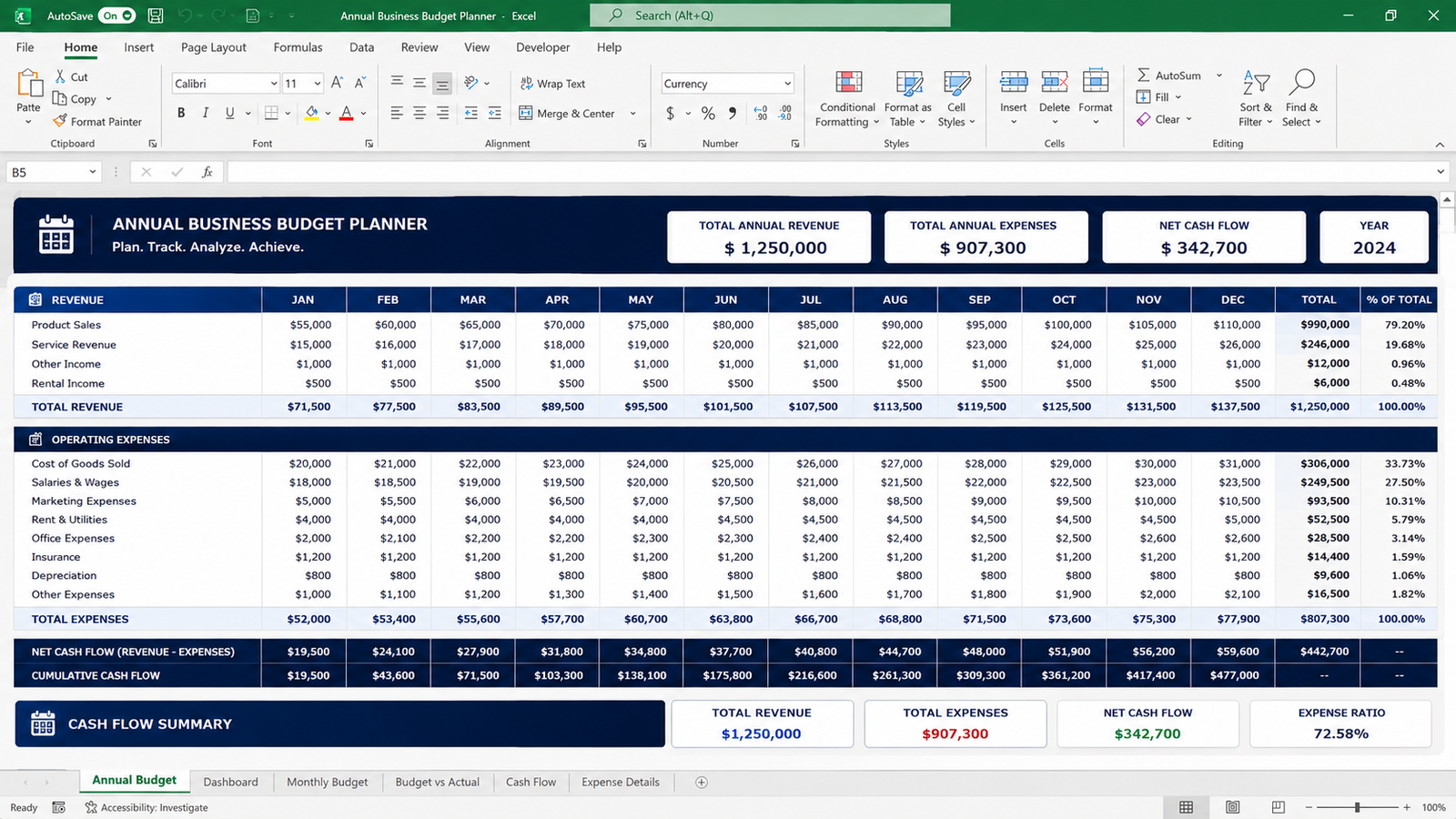
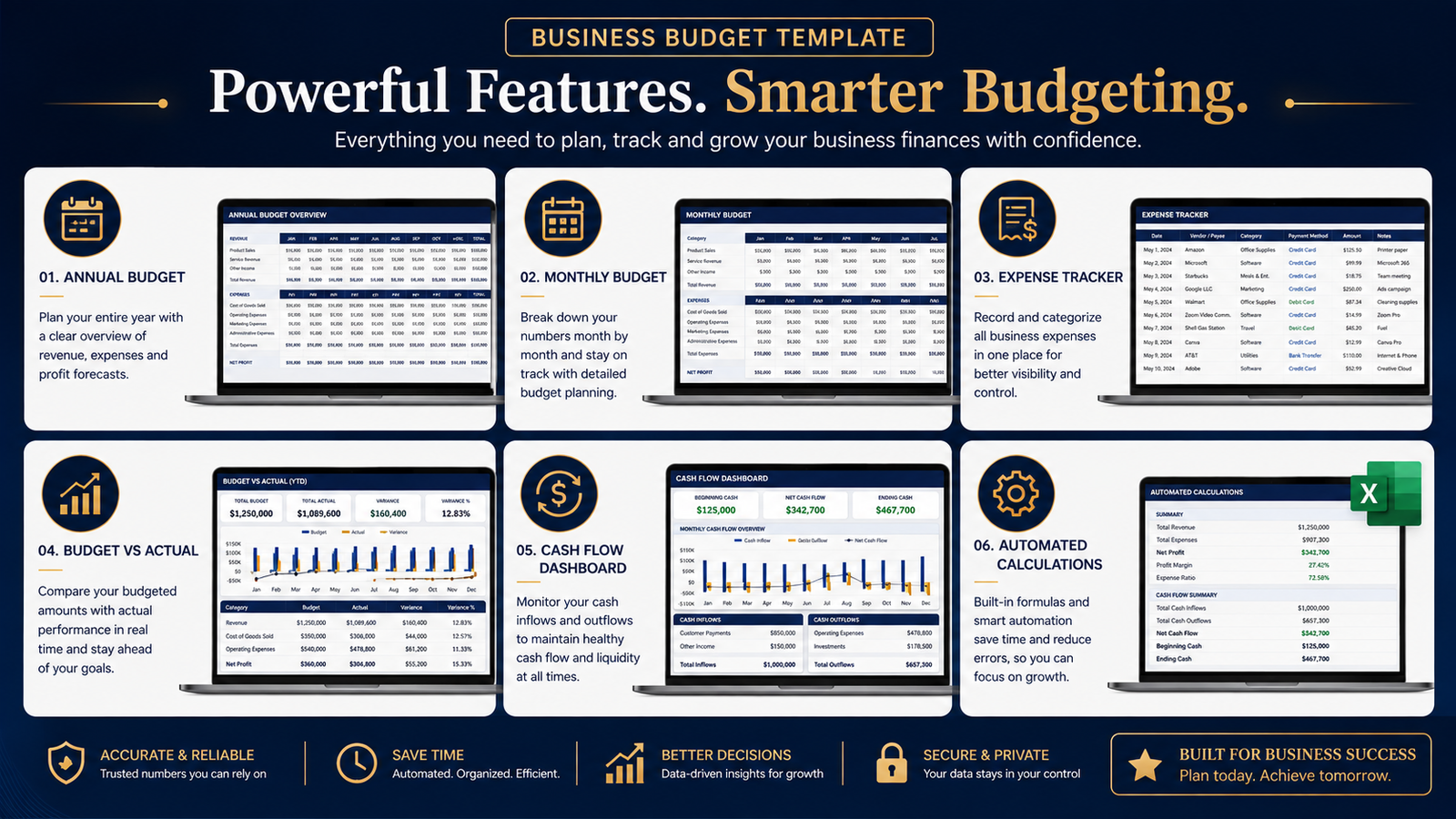
The annual budgeting section allows you to plan your expected revenue and expenses across 12 months. You can enter monthly budget amounts and review annual totals automatically.
Instead of looking at isolated numbers, you can build a complete view of your expected financial performance.
The template calculates:
- Total revenue
- Total expenses
- Net cash flow
- Annual totals
- Monthly performance
This makes the business budget template useful for both planning and ongoing financial reviews.
Compare Budget vs Actual Results
A budget becomes much more useful when you compare your original plan with what actually happened.
The Monthly Budget section allows you to record:
Budget → Actual → Variance
The variance calculation helps you identify whether your actual spending is above or below the amount you originally planned.
This can help you spot unexpected expenses, improve future estimates, and make more informed decisions.
Track Business Expenses
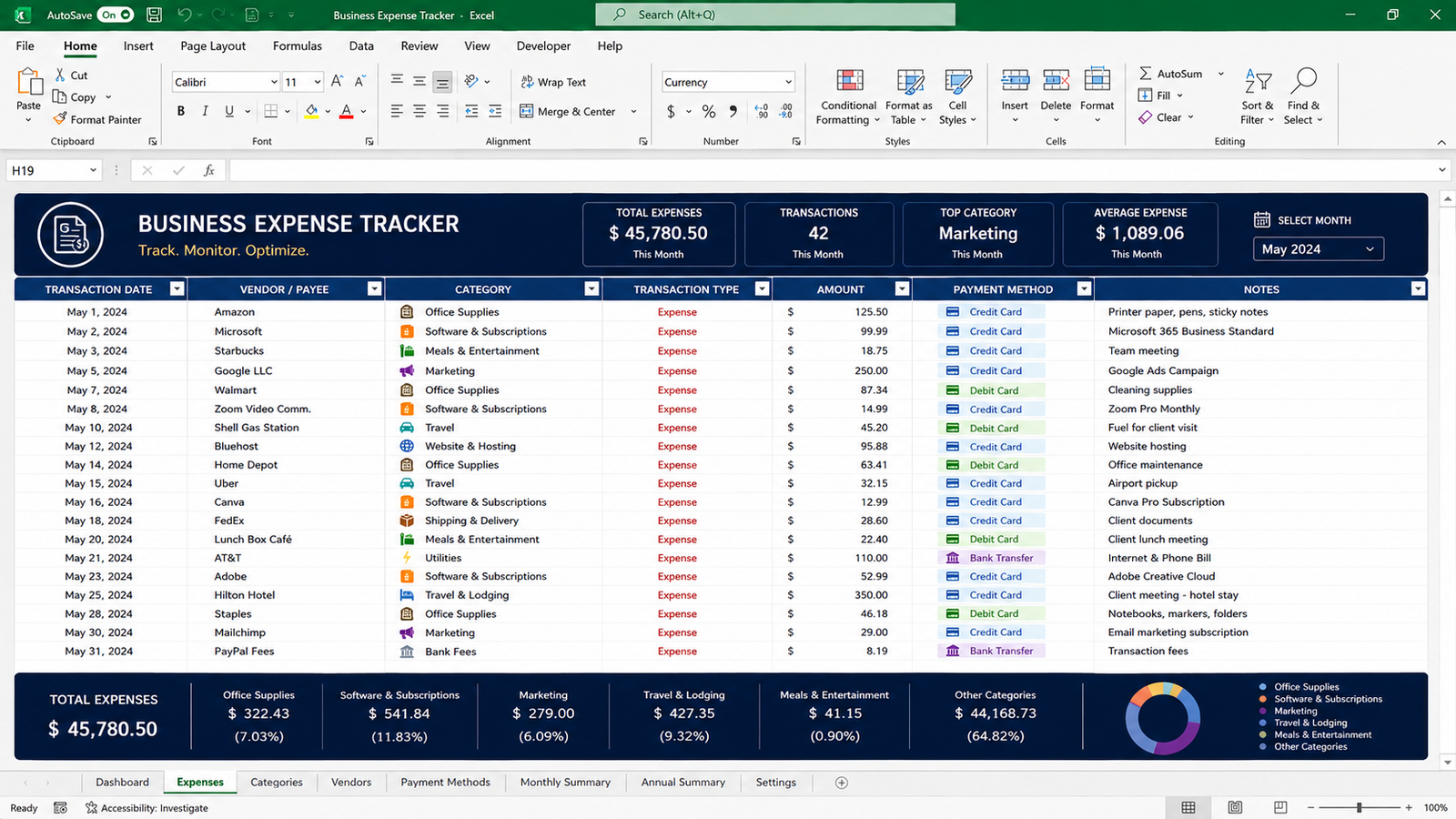
The included Expense Tracker gives you a dedicated place to record business transactions.
You can capture:
- Date
- Vendor or description
- Category
- Transaction type
- Amount
- Payment method
- Notes
Dropdown categories help keep your records organized and consistent.
For businesses that regularly review expenses, this makes the business budget template more practical than a simple monthly budget sheet.
Business Budget Dashboard
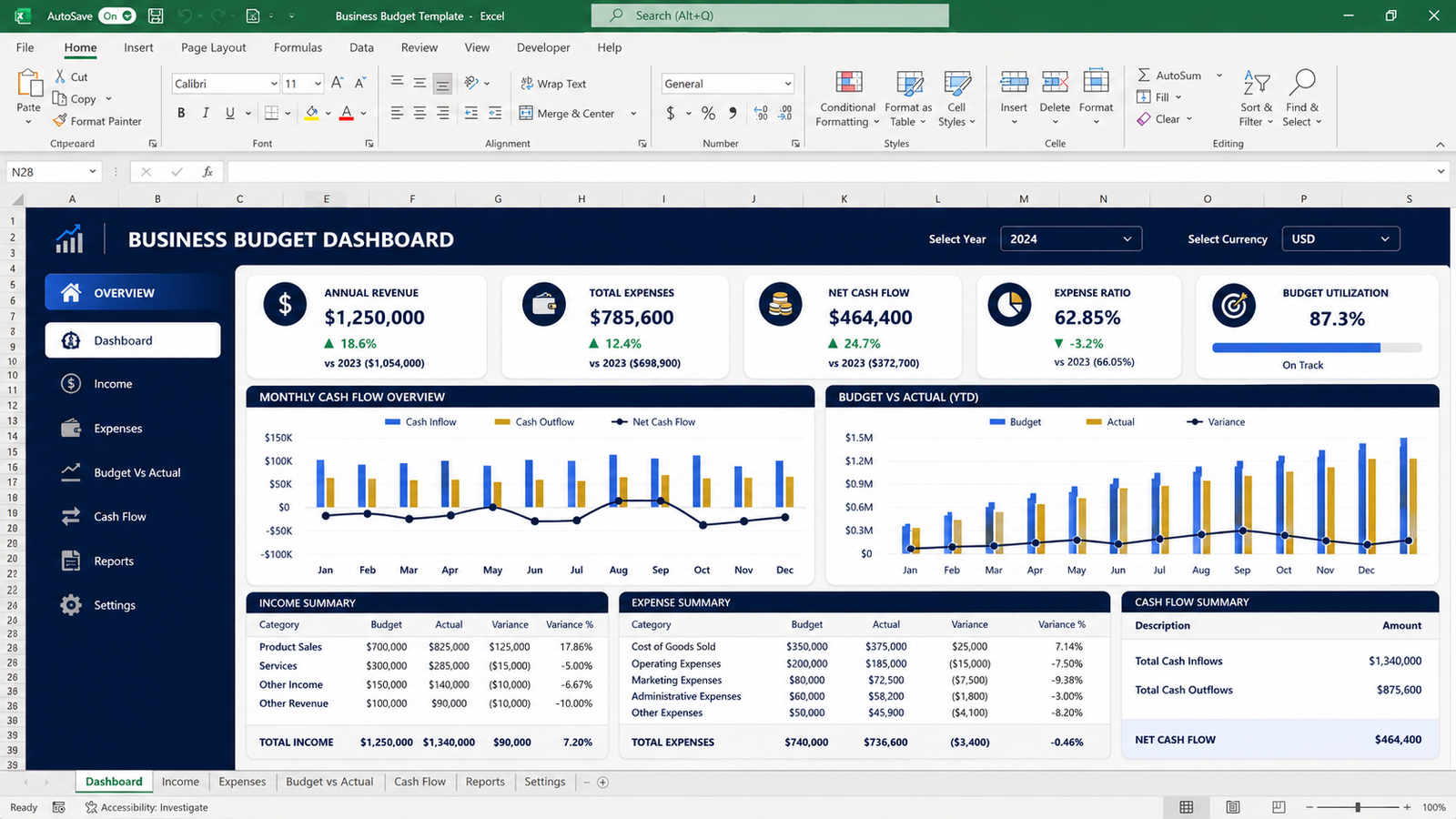
The workbook includes a dashboard that summarizes important information in one place.
You can review:
- Annual revenue
- Annual expenses
- Net cash flow
- Expense ratio
- Monthly net cash flow
A visual chart helps you quickly understand how monthly cash flow changes throughout the year.
Who Is This For?
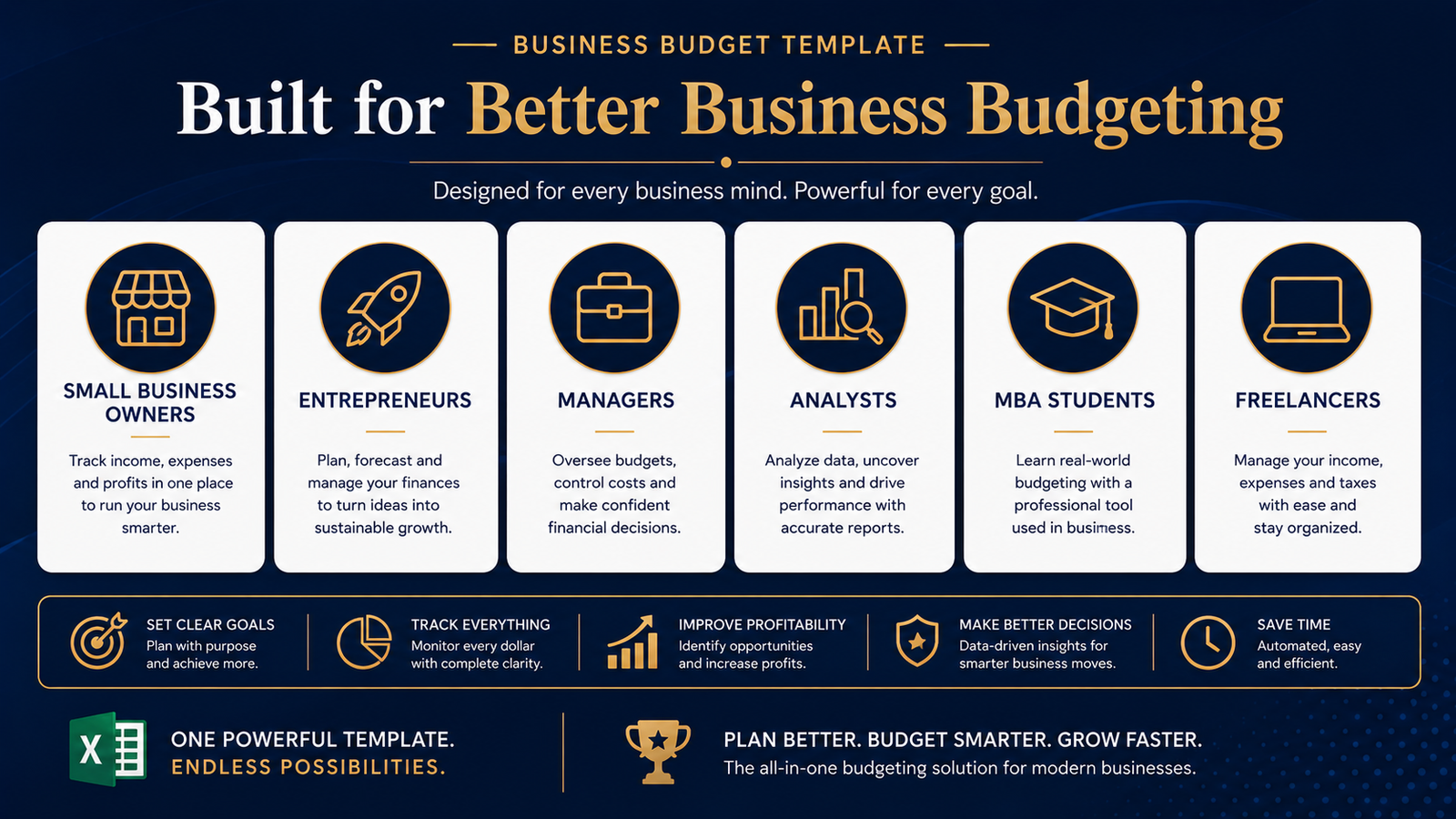
This business budget template is suitable for:
- Small business owners
- Entrepreneurs
- Startup founders
- Managers
- Business analysts
- Finance professionals
- MBA students
- Freelancers
- Consultants
- Service businesses
You don’t need advanced Excel knowledge to start using the workbook. Enter your information into the designated areas and let the built-in formulas handle the calculations.
What’s Included?
Your purchase includes:
✔ Professional Excel business budget template
✔ Annual budget planner
✔ Monthly budget tracker
✔ Budget vs actual analysis
✔ Expense tracker
✔ Business expense categories
✔ Automated calculations
✔ Business budget dashboard
✔ Monthly cash-flow visualization
✔ Quick-start guide
✔ Budget category guide
✔ License document
The workbook is designed as a practical planning and tracking tool rather than a static spreadsheet.
Microsoft also provides guidance on using Excel for budgeting and comparing planned costs with actual costs, which reinforces the usefulness of spreadsheet-based budgeting for financial planning. You can explore the Microsoft Excel budgeting guide for additional spreadsheet budgeting guidance.
Start Building a Better Business Budget
A good budget doesn’t need to be complicated. The goal is to create a system that makes your numbers easier to understand and easier to review.
Use this business budget template to establish a repeatable budgeting process, monitor your expenses, compare actual performance against your plan, and build a clearer picture of your business finances.
Download the Business Budget Template today and start planning your business finances with confidence.
Learn more about BizAnalyticsMBA
Read our business and finance resources
Frequently Asked Questions
1. What is included in the Business Budget Template?
The Business Budget Template includes an annual budget planner, monthly budget tracker, expense tracker, budget-versus-actual analysis, business budget dashboard, automated calculations, category guide and quick-start documentation.
2. Is this a Microsoft Excel template?
Yes. The main product is provided as an .xlsx Microsoft Excel workbook designed for business budgeting and financial tracking.
3. Can I use this business budget template for a small business?
Yes. The template is designed to work well for small businesses, entrepreneurs, startups, freelancers, consultants and other businesses that need a structured budgeting system.
4. Can I track actual expenses?
Yes. The included Expense Tracker allows you to record transactions, categories, amounts, payment methods and notes.
5. Does the template compare budget vs actual?
Yes. The Monthly Budget section includes Budget, Actual and Variance columns so you can compare planned amounts with actual results.
6. Can I customize the categories?
Yes. The workbook includes a category sheet that can be customized according to your business requirements.
7. Do I need advanced Excel knowledge?
No. Basic Excel knowledge is sufficient. The workbook includes instructions and automated formulas to make the budgeting process easier.
8. How will I receive the product?
The product is delivered as an instant digital download after successful payment. You can also access your purchased files from My Account → Downloads.
9. Is this a physical product?
No. This is a digital product. No physical item will be shipped.
10. Can I reuse the template every year?
Yes. You can save a clean master copy and reuse the workbook for future budgeting periods.
Reviews
There are no reviews yet.